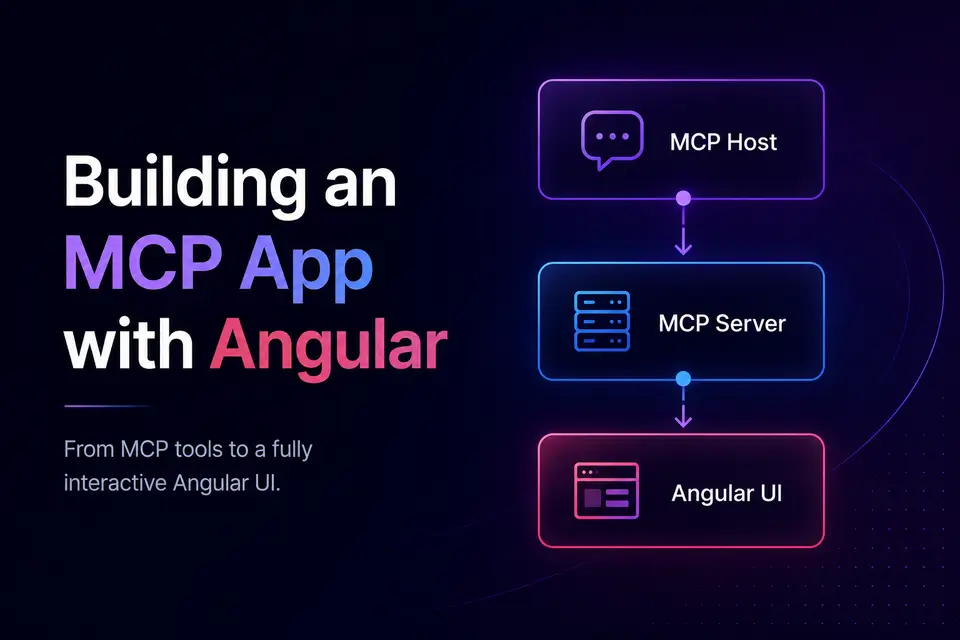
Building an MCP App Server with Angular

In one of the previous posts I covered the concept of an MCP App - a web app you already know how to build, handed to an AI host to render inside the conversation. This is the promised follow-up - the setup.
To keep things concrete, I put together a minimal Hello World boilerplate: one Node/TypeScript MCP server that exposes a single say_hello tool and serves a tiny Angular app as an MCP App resource. Everything below references that template, so you can read the article and the code side by side.
What You'll Learn
By the end of this post you'll know how to:
- Register an MCP tool that opens a UI and wire up
_meta.ui.resourceUri - Serve an Angular build as an MCP resource - and why it can't just be a URL
- Inline the whole build into a single, CSP-safe HTML file
- Connect the UI back to the host with a postMessage bridge and an HTTP fallback
- Keep tool results in sync with Angular signals
The Shape of the Project
An MCP App server has exactly two responsibilities: expose tools and serve a UI resource. The boilerplate keeps them in one repo using npm workspaces:
├── server/   # MCP + Express server (TypeScript)
├── ui/       # Angular Hello World app
└── scripts/inline-bundle.mjs  # folds the Angular build into one HTML file
├── server/ # MCP + Express server (TypeScript)
├── ui/ # Angular Hello World app
└── scripts/inline-bundle.mjs # folds the Angular build into one HTML fileThe server speaks the MCP Streamable HTTP transport on /mcp, registers the Angular build as a resource at ui://hello-world/app, and tags the tool with _meta.ui.resourceUri so the host knows which UI to open. That's the whole contract.
At a high level, three actors talk to each other - the host, your server, and the rendered Angular UI:
flowchart LR
    Host["MCP Host
(ChatGPT, Claude, Cursor)"]
    Server["MCP Server
(Express + MCP SDK)"]
    UI["Angular UI
(sandboxed iframe)"]

    Host -->|"1 - tools/call say_hello"| Server
    Server -->|"2 - result + _meta.ui.resourceUri"| Host
    Host -->|"3 - read resource ui://hello-world/app"| Server
    Server -->|"4 - inlined HTML bundle"| Host
    Host -->|"5 - render in iframe"| UI
    UI -->|"6 - callServerTool (postMessage / HTTP)"| Server
Two outputs, two audiences. Every tool returns
contentandstructuredContent. Thecontent(plain text) is for the model - it's what the assistant reads and narrates in the chat. ThestructuredContent(typed JSON) is for the UI - your Angular app reads it directly instead of parsing prose. Keep that split in mind; it's the backbone of the whole integration.
1. Registering a Tool That Opens a UI
The tool itself is ordinary MCP. The only MCP App-specific detail is the _meta.ui.resourceUri field - it points the host at the UI resource to render when the tool runs.
export function registerSayHelloTool(server: McpServer): void {
  server.registerTool(
    "say_hello",
    {
      description: "Returns a friendly greeting and opens the Hello World MCP App.",
      inputSchema,
      outputSchema,
      _meta: { ui: { resourceUri: MAIN_URI } }, // ui://hello-world/app
    },
    async (args) => {
      const name = (args.name ?? "World").trim() || "World";
      const greeting = `Hello, ${name}!`;
      return {
        content: [{ type: "text", text: greeting }],
        structuredContent: { greeting, timestamp: new Date().toISOString() },
      };
    },
  );
}
export function registerSayHelloTool(server: McpServer): void {
server.registerTool(
"say_hello",
{
description: "Returns a friendly greeting and opens the Hello World MCP App.",
inputSchema,
outputSchema,
_meta: { ui: { resourceUri: MAIN_URI } }, // ui://hello-world/app
},
async (args) => {
const name = (args.name ?? "World").trim() || "World";
const greeting = `Hello, ${name}!`;
return {
content: [{ type: "text", text: greeting }],
structuredContent: { greeting, timestamp: new Date().toISOString() },
};
},
);
}Two things worth noting:
- The handler returns the
content/structuredContentpair from the contract above: a text greeting for the model, and the typed payload (greeting,timestamp) the UI binds to. - Adding more tools is mechanical: drop a
register-*.tsundertools/and add it to the array intool-registry.ts. The registry keepscreateMcpServerclean.
Why not just host Angular normally? The obvious instinct is to deploy the app to Firebase or Netlify and point an iframe at the URL. MCP Apps don't work that way. The host doesn't embed an arbitrary external page - it reads a resource from your MCP server and renders the returned HTML in a locked-down iframe. There's no public web server serving your SPA, the host's CSP usually blocks external script and asset fetches, and the UI only gets a channel back to the host because it lives inside the MCP session. That's why the next two sections exist: the app has to be delivered as a resource and squeezed into a single, self-contained file.
2. Serving the Angular Build as a Resource
This is the part unique to MCP Apps. The Angular app isn't hosted on a URL the host fetches - it's returned as the content of an MCP resource. The host reads ui://hello-world/app and drops the returned HTML into a sandboxed iframe.
mcpServer.setRequestHandler(ReadResourceRequestSchema, (request) => {
  if (request.params.uri === MAIN_URI) {
    const html = injectMcpServerMeta(
      rewriteMcpHtmlAssetUrls(readFileSync(indexPath, "utf-8"), publicBaseUrl),
      publicBaseUrl,
    );
    return {
      contents: [{ uri: MAIN_URI, mimeType: MCP_APP_MIME_TYPE, text: html, _meta: uiMeta }],
    };
  }
  // ...asset branch for ui://hello-world/app/assets/*
});mcpServer.setRequestHandler(ReadResourceRequestSchema, (request) => {
if (request.params.uri === MAIN_URI) {
const html = injectMcpServerMeta(
rewriteMcpHtmlAssetUrls(readFileSync(indexPath, "utf-8"), publicBaseUrl),
publicBaseUrl,
);
return {
contents: [{ uri: MAIN_URI, mimeType: MCP_APP_MIME_TYPE, text: html, _meta: uiMeta }],
};
}
// ...asset branch for ui://hello-world/app/assets/*
});A few conventions matter here:
- The MIME type is not
text/html. The MCP Apps extension requirestext/html;profile=mcp-app. Get this wrong and the host won't treat the resource as an app. _meta.uicarries the CSP - which domains the iframe mayconnectto and load resources from. For local dev I would recommend to allow bothlocalhostand127.0.0.1. More details about CSP issues you can read in official docs.
3. Inlining the Build Into One HTML File
Many MCP hosts apply restrictive CSP rules that make external bundles difficult or impossible to load. A normal Angular build emits index.html plus a handful of .js chunks and a CSS file - and the iframe's CSP may block them. So the build has a post-step that folds everything into a single HTML document.
flowchart LR
    A["ng build
(outputHashing: none, baseHref: ./)"] --> B["dist/ui/browser
index.html + chunks + css"]
    B --> C["inline-bundle.mjs
esbuild → one ESM bundle"]
    C --> D["dist/ui-inlined/index.html
<style> + <script> inlined"]
    D --> E["served as MCP resource
ui://hello-world/app"]
The script does three things: rewrite <link rel=stylesheet> into inline <style>, re-bundle the lazy ESM chunks into one module with esbuild, and inject it as a single <script type="module">.
async function bundleApplicationJs() {
  const result = await esbuild.build({
    entryPoints: [path.join(browserDir, "main.js")],
    bundle: true,
    format: "esm",
    platform: "browser",
    write: false,
  });
  return result.outputFiles[0].text;
}

const bundledJs = await bundleApplicationJs();
// escape any literal </script> so it can't break out of the inline tag
const safeJs = bundledJs.replace(/<\/script/gi, "<\\/script");
html = html.replace("</body>", `<script type="module">${safeJs}</script></body>`);
async function bundleApplicationJs() {
const result = await esbuild.build({
entryPoints: [path.join(browserDir, "main.js")],
bundle: true,
format: "esm",
platform: "browser",
write: false,
});
return result.outputFiles[0].text;
}
const bundledJs = await bundleApplicationJs();
// escape any literal </script> so it can't break out of the inline tag
const safeJs = bundledJs.replace(/<\/script/gi, "<\\/script");
html = html.replace("</body>", `<script type="module">${safeJs}</script></body>`);Two Angular config choices make this clean. In angular.json, set outputHashing: "none" (stable filenames so the server can find them) and baseHref: "./" (relative paths inside the iframe). The UI is also zoneless - provideZonelessChangeDetection() - which keeps the bundle smaller and the signal-driven change detection snappy.
4. The Bridge: postMessage First, HTTP Fallback
Inside the iframe, the Angular app needs to call back to the server. The boilerplate supports two transport paths, preferring the MCP App bridge and falling back to direct HTTP when necessary:
- postMessage proxy - the proper MCP App path, via
@modelcontextprotocol/ext-apps. The app performs aui/initializehandshake with the host, then routescallServerToolthrough it. - Direct HTTP to
/mcp- a fallback for hosts that don't proxy tool calls, using the URL we injected as a<meta>tag.
A thin service encapsulates both so the component never thinks about transport:
@Injectable({ providedIn: 'root' })
export class McpBridgeService {
  private readonly app = new App({ name: 'hello-world-ui', version: '0.1.0' }, {});
  private readonly mcpHttpUrl = readMcpServerUrl(); // from the injected <meta>

  async initialize(): Promise<void> {
    if (!isEmbeddedMcpView()) return;          // running standalone? skip the handshake
    await this.connectToHost();                // postMessage transport to window.parent
  }

  async sayHello(name: string): Promise<HelloResult> {
    const args = name.trim() ? { name: name.trim() } : {};
    return (await this.callServerTool('say_hello', args)) as HelloResult;
  }

  private async callServerTool(name: string, args: Record<string, unknown>) {
    try {
      const result = await this.app.callServerTool({ name, arguments: args });
      return this.unwrapToolResult(result);   // returns structuredContent
    } catch (err) {
      if (this.mcpHttpUrl) return callMcpToolViaHttp(this.mcpHttpUrl, name, args);
      throw err;
    }
  }
}@Injectable({ providedIn: 'root' })
export class McpBridgeService {
private readonly app = new App({ name: 'hello-world-ui', version: '0.1.0' }, {});
private readonly mcpHttpUrl = readMcpServerUrl(); // from the injected <meta>
async initialize(): Promise<void> {
if (!isEmbeddedMcpView()) return; // running standalone? skip the handshake
await this.connectToHost(); // postMessage transport to window.parent
}
async sayHello(name: string): Promise<HelloResult> {
const args = name.trim() ? { name: name.trim() } : {};
return (await this.callServerTool('say_hello', args)) as HelloResult;
}
private async callServerTool(name: string, args: Record<string, unknown>) {
try {
const result = await this.app.callServerTool({ name, arguments: args });
return this.unwrapToolResult(result); // returns structuredContent
} catch (err) {
if (this.mcpHttpUrl) return callMcpToolViaHttp(this.mcpHttpUrl, name, args);
throw err;
}
}
}5. Keeping the UI in Sync With Signals
Because say_hello returns structuredContent, the component treats a tool call exactly like any async data source - resolve it, push it into signals, let change detection do the rest:
export class AppComponent implements OnInit {
  private readonly bridge = inject(McpBridgeService);

  readonly greeting = signal('Hello, World!');
  readonly timestamp = signal('');
  readonly loading = signal(false);

  async ngOnInit(): Promise<void> {
    await this.bridge.initialize();   // handshake before the first call
    await this.fetchGreeting();
  }

  private async fetchGreeting(): Promise<void> {
    this.loading.set(true);
    try {
      const result = await this.bridge.sayHello(this.name());
      this.greeting.set(result.greeting);
      this.timestamp.set(new Date(result.timestamp).toLocaleTimeString());
    } finally {
      this.loading.set(false);
    }
  }
}
export class AppComponent implements OnInit {
private readonly bridge = inject(McpBridgeService);
readonly greeting = signal('Hello, World!');
readonly timestamp = signal('');
readonly loading = signal(false);
async ngOnInit(): Promise<void> {
await this.bridge.initialize(); // handshake before the first call
await this.fetchGreeting();
}
private async fetchGreeting(): Promise<void> {
this.loading.set(true);
try {
const result = await this.bridge.sayHello(this.name());
this.greeting.set(result.greeting);
this.timestamp.set(new Date(result.timestamp).toLocaleTimeString());
} finally {
this.loading.set(false);
}
}
}That's the payoff of the structured contract. Whether the agent invokes the tool or the user clicks the button in the UI, both paths hit the same say_hello handler and end up in the same signals - so the two views never drift apart.
6. Sessions and Transport, Briefly
The server mounts POST/GET/DELETE /mcp with the SDK's StreamableHTTPServerTransport. It supports both modes the spec expects: an initialize request without a session header spins up a stateful session keyed by a generated UUID, while other header-less requests are handled as stateless one-shot servers. That second mode is exactly what the UI's HTTP fallback relies on - it can fire a single tools/call without negotiating a session first.
Running It
npm install
npm run build   # tsc for the server, ng build + inline for the UI
npm start       # http://localhost:8080  → MCP on /mcp
npm install
npm run build # tsc for the server, ng build + inline for the UI
npm start # http://localhost:8080 → MCP on /mcpThen point any MCP-capable host at it. For Cursor, that's a one-liner:
{
  "mcpServers": {
    "hello-world-local": { "url": "http://127.0.0.1:8080/mcp" }
  }
}
{
"mcpServers": {
"hello-world-local": { "url": "http://127.0.0.1:8080/mcp" }
}
}Ask the agent to run say_hello, and your Angular app appears in the chat.
Wrapping Up
Strip away the spec jargon and an MCP App server is a small amount of glue: register a tool, tag it with a UI resource, return your front-end as that resource's content, and give the front-end a bridge back to the host. The Angular side is almost boring - signals, a service, structuredContent - which is exactly the point. You reuse what you already know.
The boilerplate is intentionally minimal so you can fork it and swap say_hello for something real. Start there, and the next tool is a copy-paste away.
Resources
- MCP Apps: Rendering Your Angular UI Inside ChatGPT
- Hello World boilerplate on GitHub
- Model Context Protocol
Building something on top of this template? I'd love to hear which tool you wired up first.
Comments