Building an Offline AI Assistant with Chrome Prompt API, Summarizer API, and WebMCP

Most AI features on websites work the same way behind the scenes. You type a message, the site sends it to a server, a hosted model processes it, and the answer travels back to your screen.
That approach works. But it is no longer the only option.
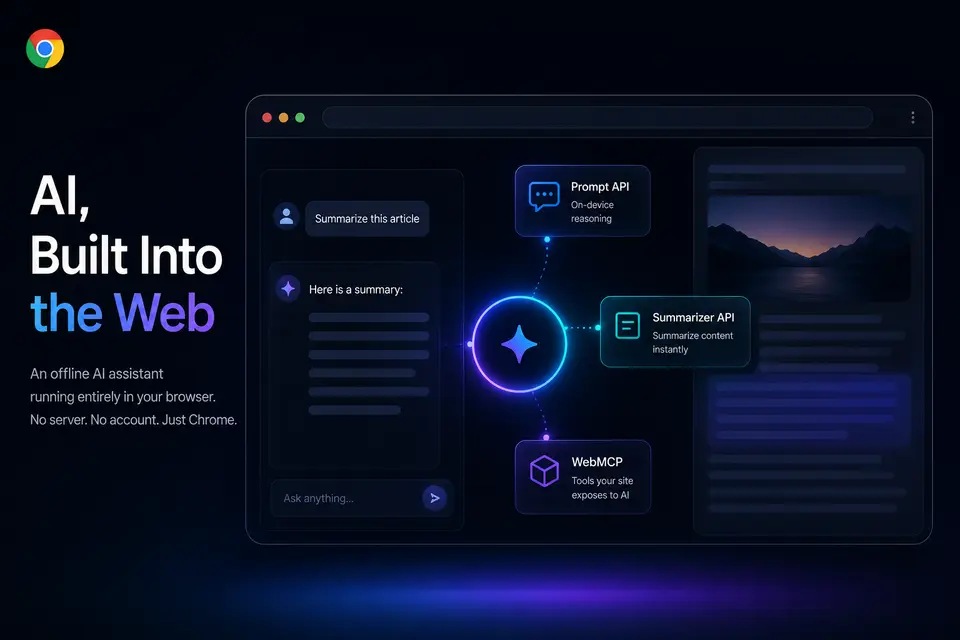
Chrome now ships a set of built-in AI capabilities that run on-device, directly in the browser. Three of them make the experiment in this article possible:
- the Prompt API for local language reasoning,
- the Summarizer API for condensing long-form content,
- and WebMCP for describing what a page can actually do.
I used these three to build an experimental AI assistant directly into this blog and portfolio. No backend, no login, no cloud model, and no general-purpose chatbot. Just a local assistant that understands the current page and helps visitors find, summarize, and navigate the content already on the site.
Note: for now this experiment only works in recent versions of Google Chrome on desktop.
The Core Idea
The interesting part is not the chat window. It is the separation of two concerns: language reasoning and site capabilities.
The model interprets the request and decides what should happen. The website exposes a fixed set of approved actions and remains the only thing that can actually read or change its own data.
In short, the model can request an action such as searching the blog, but it can only use the capabilities the page explicitly exposes. It cannot invent new ones or reach anything it was not given. That single boundary is what keeps the assistant predictable.
What the Assistant Can Do
At a product level, a visitor can ask it to:
- search and recommend blog posts,
- summarize the article they are reading,
- answer questions grounded in the blog's content,
- explain the author's perspective based on the posts,
- find relevant professional experience,
- navigate to another page or post.
Notice what is not on that list: it does not answer unrelated trivia or pretend to be a general-purpose chatbot. It is intentionally scoped to this site.
Why Run the Model Locally?
In the conventional setup, every request leaves the browser. That is often fine, but it brings real overhead: API keys, backend orchestration, rate limiting, logging policies, and a clearly defined privacy boundary. Running the model on-device removes much of that:
- Privacy: messages and page content stay on the user's device.
- No backend: there is no AI server to build, secure, or pay for.
- Lower barrier to experiment: the site can try AI features without committing to infrastructure.
This is not free of constraints. The APIs are experimental, availability depends on Chrome support and local model readiness, and the model may need to download or warm up first. But for a portfolio, documentation site, or knowledge-heavy product page, the trade is reasonable.
The result is a meaningful shift: the page itself becomes an environment where AI can run, rather than a window into a model running elsewhere.
The Three Building Blocks
The assistant is built from three on-device browser capabilities, each with a single responsibility.
1. Prompt API - the reasoning loop
The Prompt API runs the conversation against an on-device model. In this assistant it works in two passes.
First, it reads the question and decides whether it can answer directly or needs to call one or more tools. Then, once any tool results are available, it produces the final response shown to the user.
The important detail is that the first pass uses structured output. Rather than returning free-form prose the app has to parse, the model returns a constrained shape: a short message plus a list of requested tool calls, each with a name and arguments that must match an available tool.
Because the shape is predictable, the app can validate it - rejecting unknown tools, filtering out tools that are not valid on the current route, and keeping the planning step cleanly separated from the final answer.
2. Summarizer API - built for one job
Not every task belongs in a general prompt. Summarization is a clear example.
When the user is on a post and asks for a summary, the source content is already known. There is nothing to search and no intent to guess - the task is simply to condense the article. The Summarizer API is purpose-built for exactly that.
This keeps a clean boundary between the three layers: the tool locates the article, the Summarizer condenses it, and the Prompt API presents the result. If the Summarizer is unavailable, the tool returns a safe fallback so summarization degrades gracefully instead of failing.
3. WebMCP - the site's capability contract
A typical chatbot is handed a vague instruction in its system prompt: "You can search the blog and open pages." That is just prose. The model can misread it, ignore it, or assume capabilities that do not exist.
WebMCP replaces that with a real contract. The site exposes each capability as a tool with a name, a description, and a JSON schema for its inputs. The assistant can only call tools that genuinely exist.
The site currently exposes tools such as:
| Tool | Available where | Purpose |
|---|---|---|
| Search blog posts | everywhere | Find posts by topic, title, or content |
| Recommend posts | everywhere | Suggest posts for a learning goal |
| Find experience | everywhere | Match the author's experience to a need |
| Open a page | everywhere | Navigate to a main section of the site |
| Open a blog post | everywhere | Open a specific article |
| Summarize this post | on a blog post | Summarize the current article |
| Answer from this post | on a blog post | Answer using the current article as the source |
| Author's perspective | on a blog post | Infer the author's take on the topic |
That contract is useful in two directions: the built-in assistant calls these tools while answering, and external WebMCP-aware tooling can inspect the same surface to discover what the site can do. In other words, the site is not just adding a chat box - it is publishing a machine-readable description of its own abilities.
Tools Are Scoped to the Current Route
Notice the "Available where" column above. Some tools make sense everywhere - search, recommend, navigate. Others only make sense on a blog post, such as summarizing or answering from the current article.
So the available tool set changes with the route. A capability like summarize this post simply does not exist when there is no post on screen. In this Angular app, route-level providers express that split cleanly: each route owns the tools valid for it, and the assistant consumes whatever is currently active instead of hard-coding route names.
This keeps the assistant grounded. The chat UI stays global and unchanged across the site, while its capabilities adapt to the page. Adding a new page-specific capability becomes a route configuration change rather than a rewrite of the chat component.
Streaming and Loading States
Running locally does not mean instant. The model may need time to start, download, or produce the first token, so the interface communicates each state honestly:
- a model loading/ready/error indicator,
- a thinking state before the first token,
- a streamed answer once output begins.
The final answer is streamed: before output starts, a small thinking indicator is shown; once tokens arrive, the message grows in place. This sounds like a minor UI detail, but it changes perceived performance. Users tolerate local model latency far better when the interface explains what is happening.
Where This Pattern Fits
I built this on a blog, but that is just one example. The underlying idea - a local model paired with a site's own tools - generalizes to almost any domain and any type of application. As built-in AI matures, on-device assistants could become a standard layer of the web, helping users wherever they already are:
- Informational and media sites: summarize a long read, answer questions about the content, surface related material.
- E-commerce: compare products, filter a catalog in natural language, check sizing or availability, guide checkout.
- Documentation and learning platforms: explain a concept in context, generate examples, point to the right page.
- Dashboards and internal tools: interpret a chart, run a saved action, navigate a complex admin UI.
- Support and onboarding: walk a user through a flow step by step, grounded in what the page can actually do.
In each case the value is the same: the assistant does not need to be a general-purpose AI. It can be small, local, and specialized - it understands what the current view means, reuses the functions the UI already exposes, and acts within the application instead of guessing about the open web.
That is a different goal from "add ChatGPT to the website." It is closer to: make the website understandable and operable by a local model - whatever that website happens to be.
Constraints and Trade-Offs
This is still experimental, and a few constraints shaped the MVP:
- on Chrome builds that expose the required built-in AI APIs,
- the local model may need to download or warm up before first use,
- WebMCP is still evolving as a proposed standard,
- route-scoped tools need careful cleanup so stale capabilities do not linger after navigation,
- SSG requires guards around browser-only APIs.
Those constraints are acceptable for an experiment, and the architecture keeps it contained. The assistant is a self-contained feature, not a shared dependency: tools live in their own files, business services stay separate from tool wrappers, and route-level configuration controls what is active. It can evolve - or be switched off - without disrupting the rest of the site.
Takeaway
The notable part of this project is not that a blog can have a chatbot.
It is the shape of it: a website that describes its own abilities as a structured contract, runs a model on-device, leans on specialized built-in APIs like summarization, and stays grounded in the current route.
The Prompt API provides the local reasoning loop. The Summarizer API gives it a focused way to process long articles. WebMCP gives the page a protocol for describing what the assistant can do.
Together, they point toward a web that is not only readable by people, but also directly operable by AI - without every interaction having to travel out to a remote backend first.
Comments